

Before you begin
- An endpoint URL that can receive POST requests
- At least one Target List with contacts or companies in it
- Admin or Marketer access to your 1eyeᴬᴵ workspace
Configure the destination
Unlike HubSpot, Salesforce, and Slack, Webhooks doesn’t use a login step — you configure it directly at the Destination node. Step 1: Open the Destination node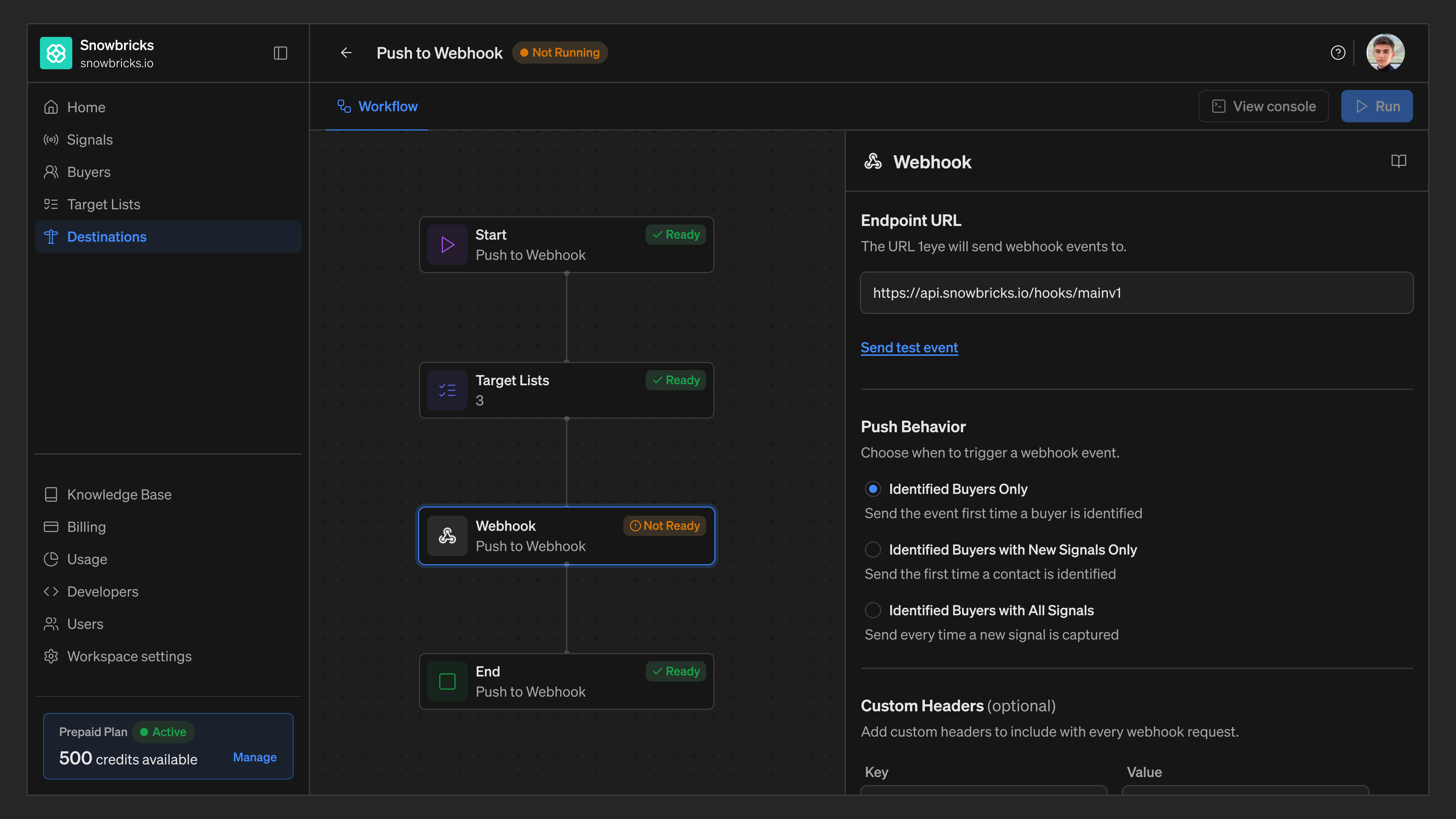
Webhooks · Not ReadyStep 2: Enter your Endpoint URL Enter the URL that should receive events.
Step 3: Send a test event
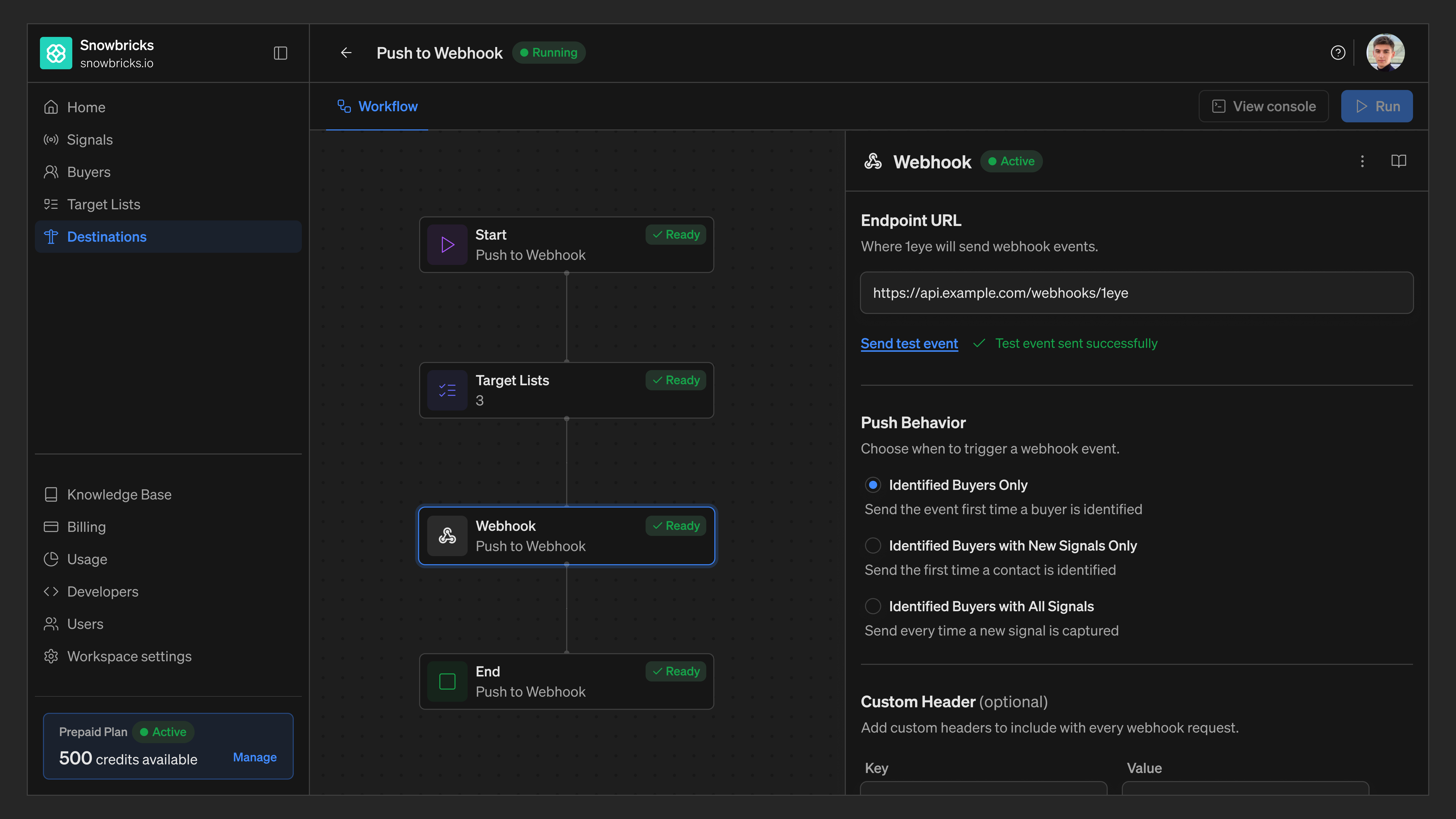
✓ Test event sent successfullyStep 4: Choose Push Behavior
Step 5: Add Custom Headers (optional)
__-1.png?fit=max&auto=format&n=xKBVUWPfcCj81I4M&q=85&s=61bc0321874e06f9cd070c21da0e03f8)
Select + Add More to add another header.
Step 6: Save
Select Save Changes. The Destination node updates from Not Ready to Active.
Monitor pushed records
From the Console, filter Webhook pushes by All / Pushed / Pending / Failed. Select a contact to see the exact payload sent to your endpoint.Disable Webhooks
- Open the workflow and select the Destination node
- Select the menu next to the Active status
- Select Disable
Best practices
Verify your endpoint before saving Use Send test event to confirm your endpoint responds correctly before turning the destination on. Use a signing secret Add a Custom Header like X-1eye-Signature so your endpoint can verify events actually came from 1eye. Match push behavior to your use case Use Identified Buyers Only for low-volume alerting, or Identified Buyers with All Signals for full activity streaming. Watch the Console after changes After editing your endpoint or push behavior, check the Console to confirm events are landing as Pushed, not Failed.Troubleshooting
FAQ
Does Webhooks use OAuth like HubSpot or Salesforce?
Does Webhooks use OAuth like HubSpot or Salesforce?
No. Webhooks doesn’t require a login or authorization step — you configure it directly with an Endpoint URL and, optionally, Custom Headers.
What happens if I disable Webhooks?
What happens if I disable Webhooks?
Workflows using Webhooks as a destination stop sending events until you re-enable it. Events already sent to your endpoint remain there.
Can I send to more than one endpoint?
Can I send to more than one endpoint?
Each Destination node sends to a single Endpoint URL. To send to multiple endpoints, add a separate Destination node for each one.